 Pulse Point
iPhone & Android
Pulse Point
iPhone & Android
A health journal that never leaves your phone.
Write down what you took and when, your blood pressure, your blood test results and your body measurements. Pulse Point keeps them, shows you how they change, and puts them on one page you can hand to your doctor. There is no account and no server — nothing you record is sent anywhere, because there is nowhere for it to go.
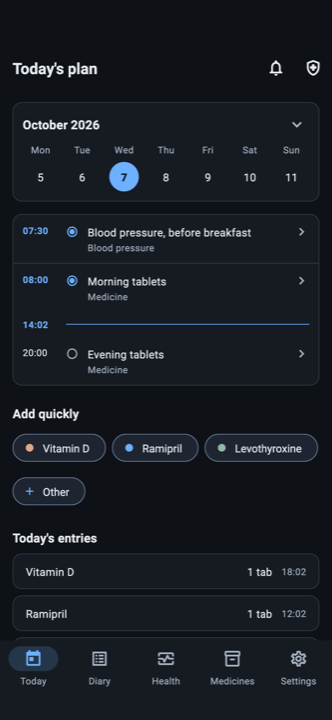
The app shows you what you entered. It never tells you what to do.
No advice, no scoring, no classification, no suggestion of any kind. Every feature is measured against that sentence, and the ones that fail it are not built.
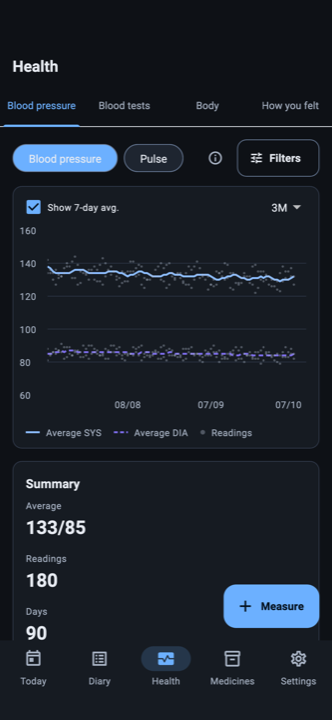
Every reading, and how they move.
Top number, bottom number and pulse, with the arm, the position, the time of day, and which monitor if you use more than one. Take several readings in a row and see them together. The app shows them; it does not grade them.
- A rolling seven-day average over any period you choose.
- Body — weight, body fat and resting pulse, on the same screen.
- How you felt, in your own words, on the day it happened.
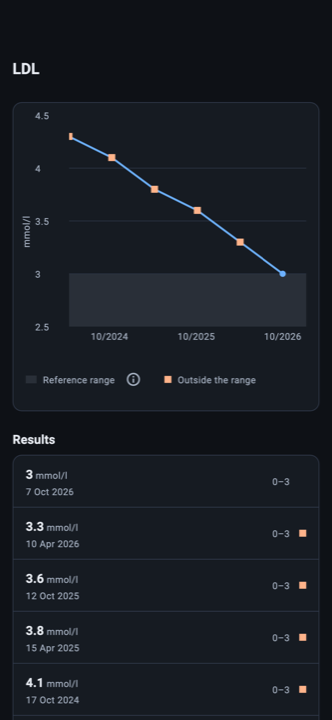
Your results, with your laboratory's own ranges.
Grouped by the date on the report, with the unit and the reference range exactly as your laboratory printed them — not a range the app decided on. Every marker has its own line over time.
- A photo or a PDF of the report itself, kept with the panel.
- Values outside your laboratory's range are marked, and nothing more is said about them.
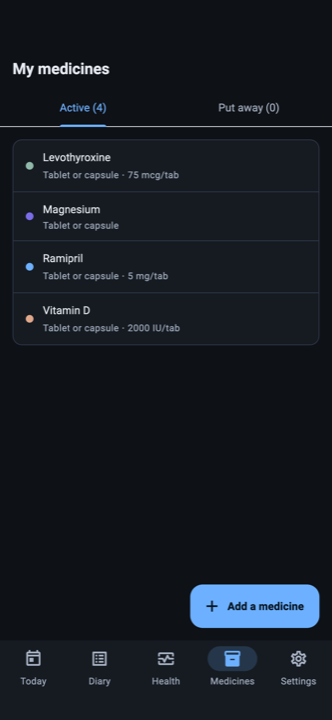
Your medicines, in your own words.
You type the name that is on the box. Nothing is suggested, nothing is looked up, and nothing is sent away to be identified. The ones you write down often sit a single tap from the home screen.
- How much you have left — what was in each box or bottle, when you opened it, and its use-by date.
- Injection spots: which one you used last, and how long ago.
- A mg and ml converter that marks the result on a syringe.
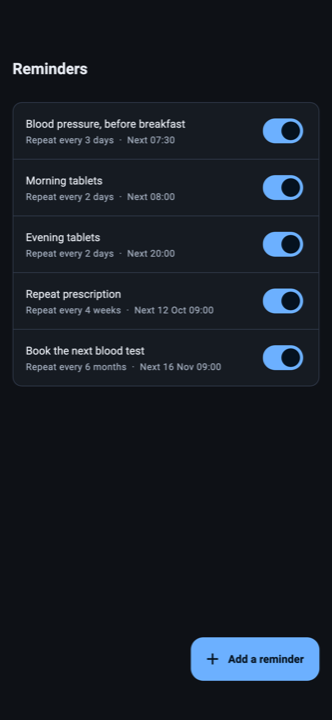
Reminders you write yourself.
What it says, how often and at what time are all yours. The app never proposes a time or an amount, and the notification shows only the words you typed — so a phone on a table says nothing about you.
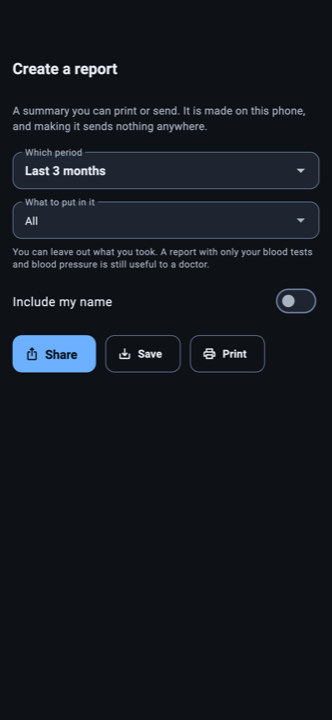
One page for your doctor.
Choose a period, choose what goes into it, and the PDF is made on your phone — print it, save it, or hand it over. Making it sends nothing anywhere. Putting your name on it is optional, and so is including what you took: a report with only your blood tests and blood pressure is still useful to a doctor.
Nothing ever leaves your phone.
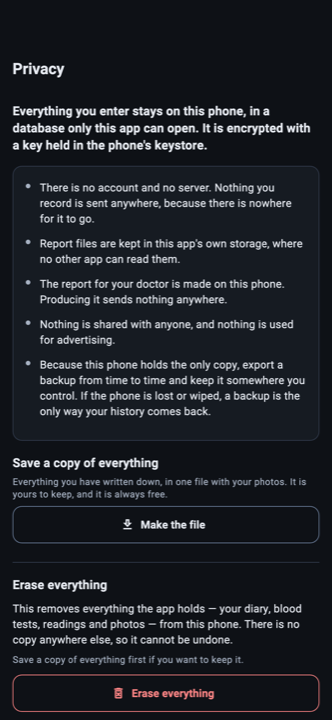
Everything you enter lives in a database only this app can open, encrypted with a key held in your phone's keystore. You can lock the app itself behind a PIN, a fingerprint or your face. No ads, no tracking, no sharing with anyone.
- Save a copy of everything — entries, results and photos — into one file you keep, and read it back in later.
- Erase everything, permanently, from Settings. There is no copy elsewhere to go and ask for.
- On Android the app does not even ask for permission to use the network.
What it deliberately does not do.
These are not missing features. They are the product decision: an app that starts judging your measurements for you is no longer a journal, and this is a journal.
No blood pressure categories
A reading is a number you took. The app does not give it a label.
No severity scale for lab values
Your laboratory's reference range is shown because your laboratory printed it. The app adds nothing to it.
No alert based on a measurement
Reminders fire at the times you set. Nothing you record ever triggers one.
No analysis of one marker against another
Each marker is shown on its own, as it was reported.
No recommendation of any kind
No dosage, no timing, no substance, no next step. Not a suggestion anywhere in the product.
No advertising, and nothing to sell
Your record is not an audience. There is no one to sell it to, and nothing about it is used for advertising.
The particulars.
- Platforms
- iPhone and Android.
- Languages
- English, Hungarian, German, Spanish, French and Italian.
- Account
- None. There is nothing to create and nothing to sign in to.
- Where your data lives
- On your phone, in an encrypted database. Nowhere else, including with us.
- Units
- Kilograms or pounds. Dark or light. Whichever you prefer.
- Age rating
- 18 and over.
Because your phone holds the only copy, the file you export is also your backup. The database key is bound to the device and deliberately kept out of device backups, so restoring a phone does not restore this app's history — an exported file is the only thing that does. Make one from time to time and keep it somewhere you control.
Pulse Point does not give medical advice, does not recommend dosages, and is not a substitute for a doctor. Using prescription medicines without medical supervision carries health and legal risks. If you are unsure, consult a doctor. A help screen with your country's emergency number, poison information and the symptoms that need immediate care is in the menu at all times.